Project Management
One Tool for Your
Whole Team
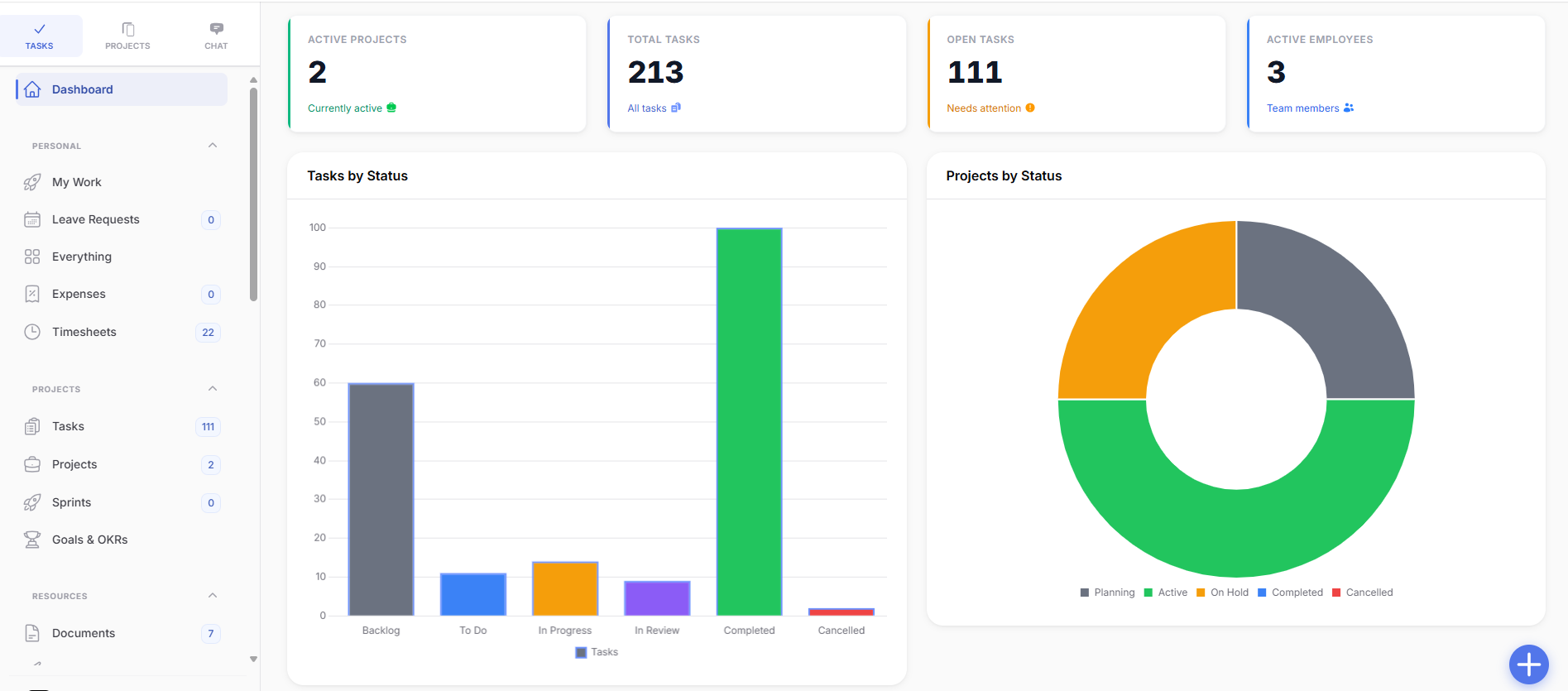
OneClick brings project and task management, time tracking, budget control, and team communication together in a single platform. No more tool sprawl, no more information lost in the shuffle. Just a clear overview for everyone.
Built for agencies, IT teams, consultancies, and anyone who wants to keep projects firmly under control.
Plan
Tasks & Projects, the Way Your Team Actually Works.
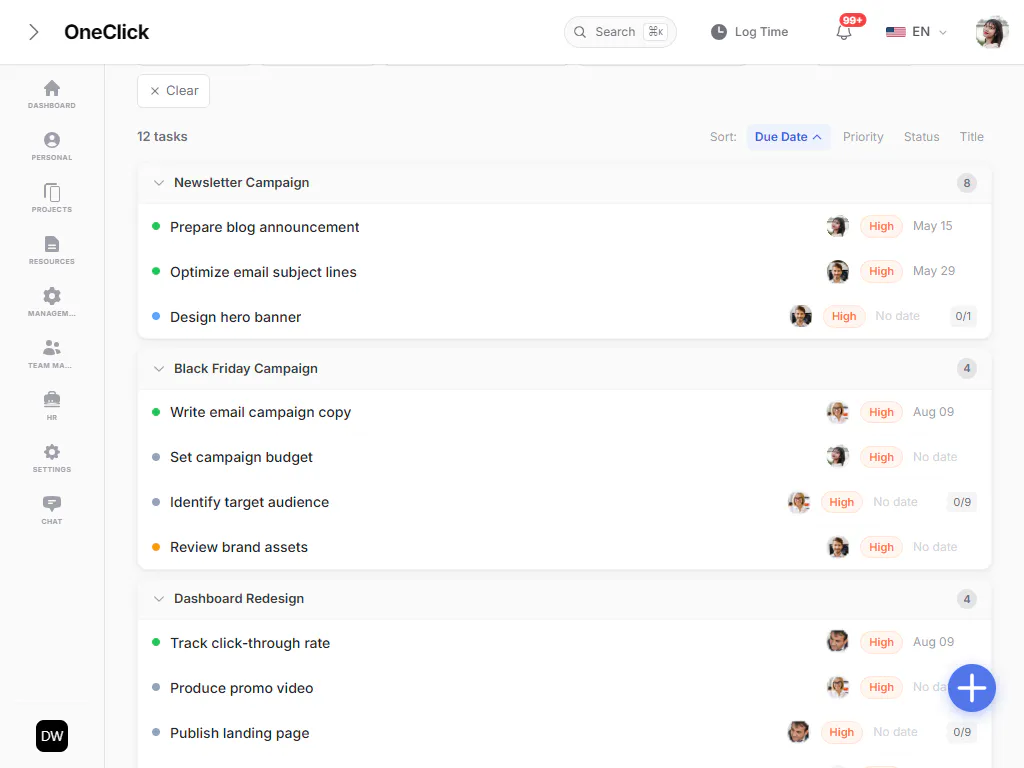
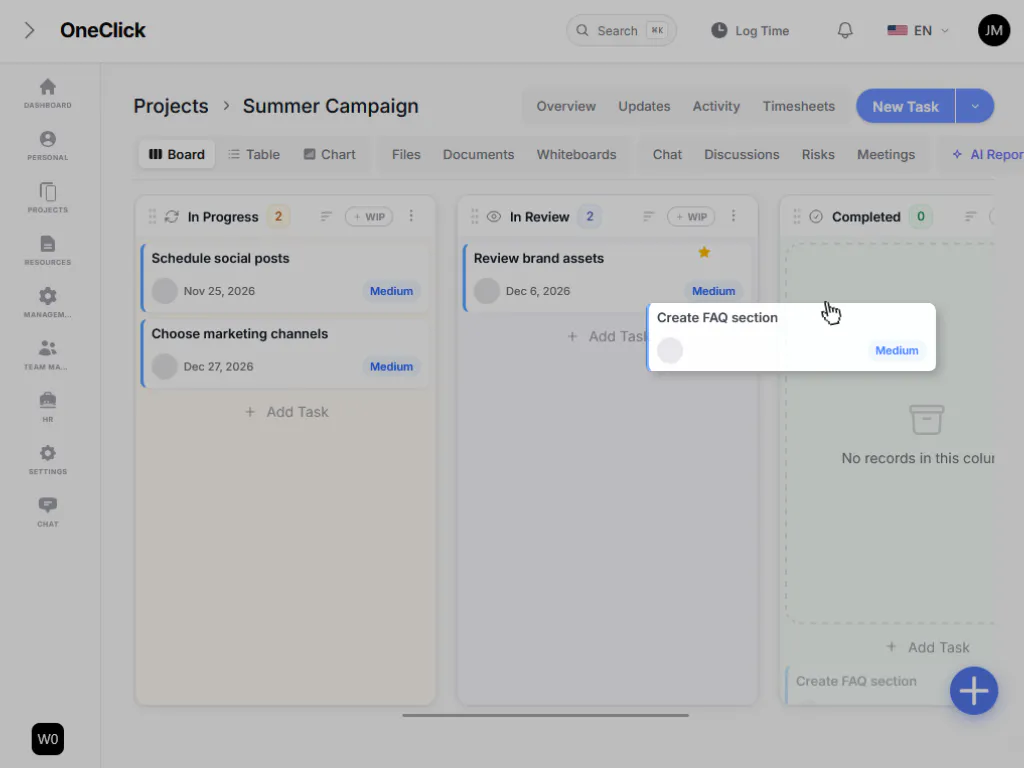
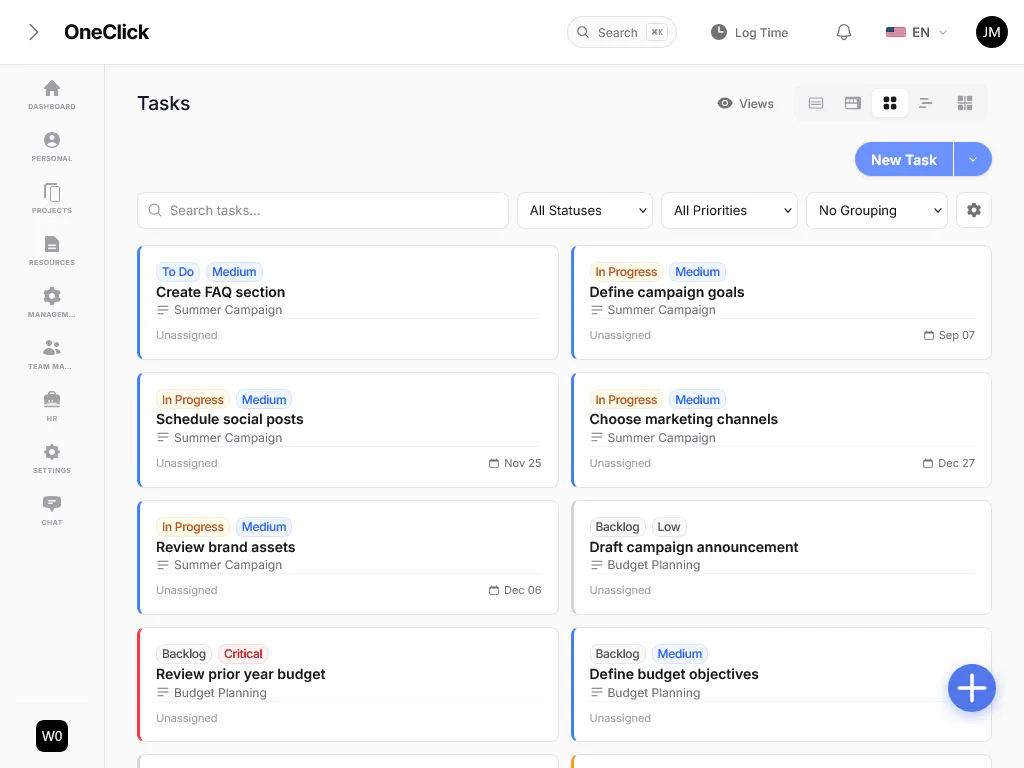
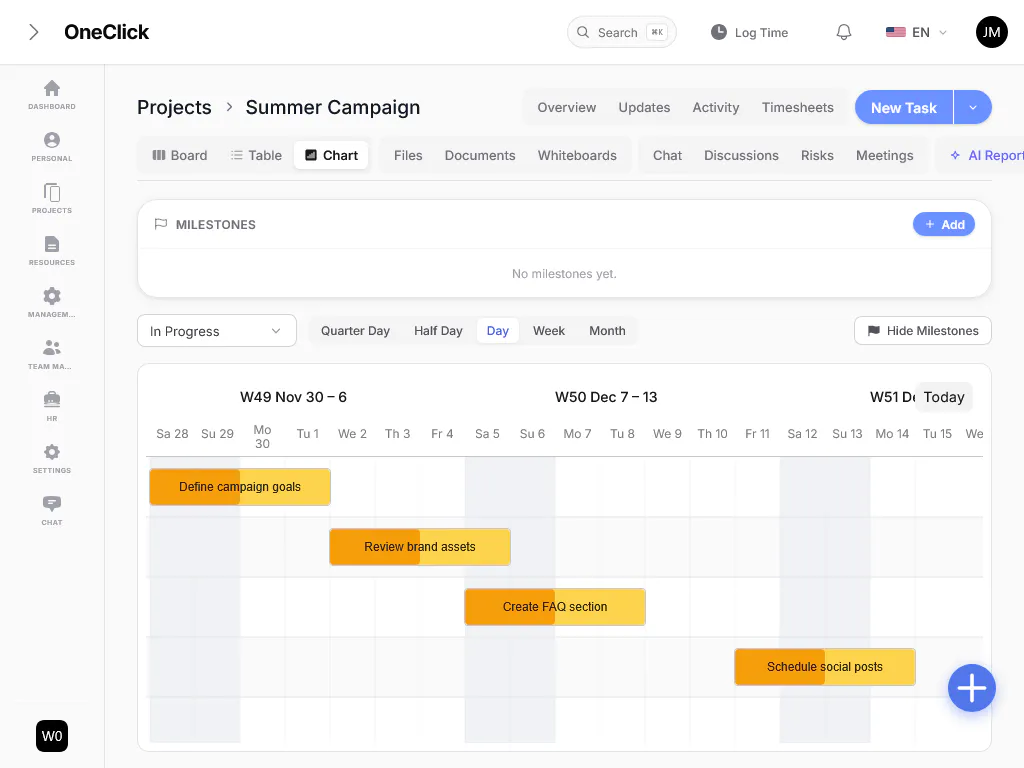
Whether it’s a classic Kanban board, a clean table, or a Gantt timeline with milestones: OneClick shows every project exactly the way your team prefers to see it, and every view draws on the same underlying data.
- Kanban boards with freely definable columns and WIP limits
- Table view with filters, sorting, and grouping
- Gantt timeline with milestones and a selectable time resolution
- Custom task fields for any workflow
Control
Time, Budget & Capacity Always in View.
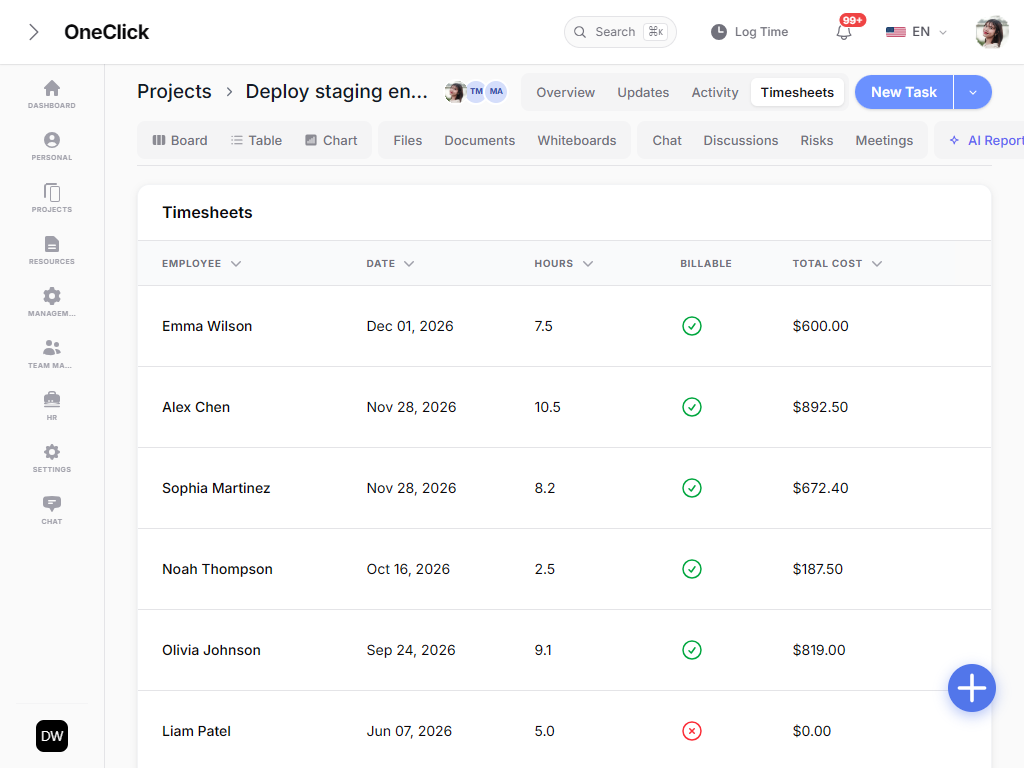
Instead of unpleasant surprises at month-end, you always know how much budget is left, how utilized your team really is, and where the hours are actually going.
- Time tracking via timer or manual entry, right on each task
- Budget tracking with burn rate and automatic runway forecasting
- Capacity and workload planning per team member and week
- Actionable reports on revenue, hours, and project health
Collaborate
Everything in One Place, Nothing Gets Lost.
Chat, files, documents, and whiteboards live directly inside the project, so discussions no longer get buried in email inboxes or third-party messengers.
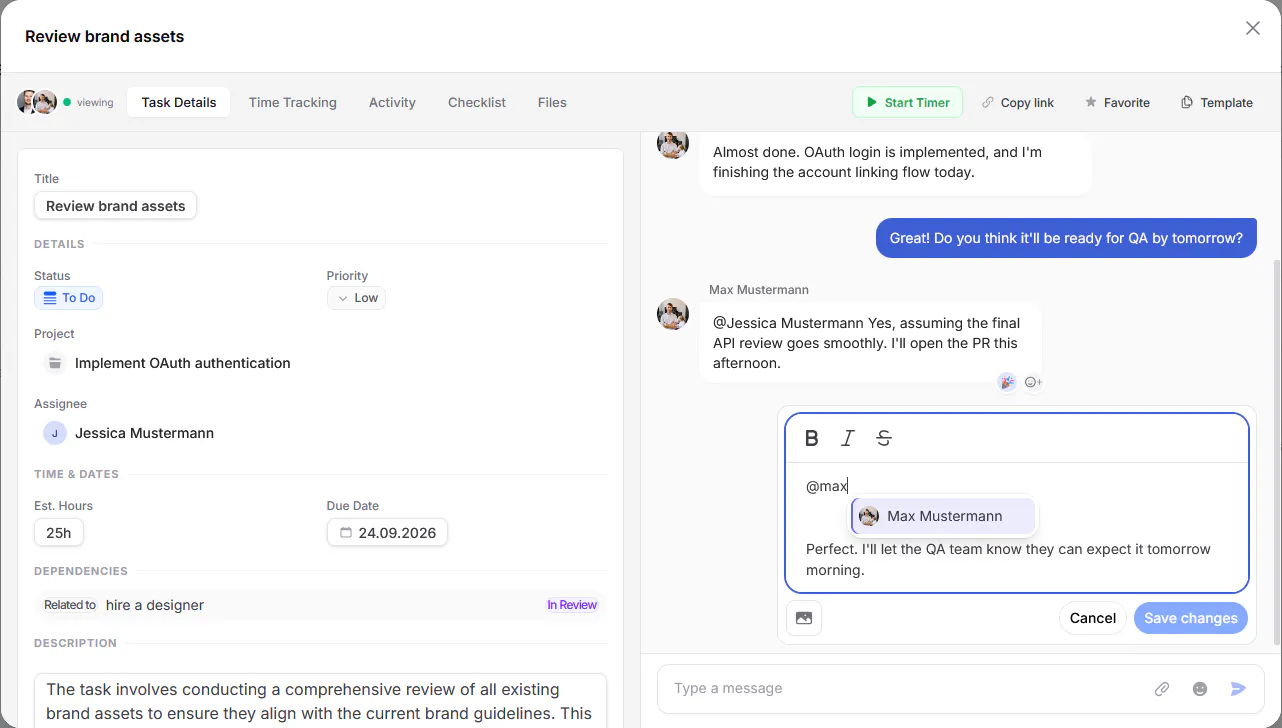
- Project- and task-level chat with @-mentions
- Versioned documents and free-form whiteboards per project
- Structured meeting notes right in the project context
- One-click AI status report (“Yesterday / Today / Blockers”)
Organize
Team, Processes & Security.
From roles and departments to automated workflows and a complete audit trail of every change, OneClick grows right alongside your organization’s structure.
- Teams, roles, and departments with individual permissions
- Automations, webhooks, and an open API for your own integrations
- Email integration: incoming emails automatically become tasks
- Full audit log for maximum transparency
Simple & Powerful
How It Works
1
Create Projects
Set up projects with budgets, timelines, and team members. Organize by department and priority.
2
Assign & Track
Break work into tasks, assign to team members, set dependencies, and track progress in real-time.
3
Deliver & Report
Monitor timesheets, budgets, and team productivity. Deliver on time with clear visibility.
Built for Modern Teams
Powerful Features, Simple Experience
Departments & Teams
Organize your company into departments and teams with hierarchy, budgets, and headcount limits.
Multi-language Support
Built-in support for 13+ languages including English, Korean, Japanese, Chinese, and more.
Leave & Expenses
Handle leave requests and expense tracking with approval workflows built right in.
Role-based Access
Fine-grained permissions per tenant. Control who can view, create, update, or delete each resource.
Task Dependencies
Define blocking and related task relationships. Visualize dependencies on Gantt charts with arrows.
Multi-tenant SaaS
Each team gets their own isolated workspace with separate data, users, and billing.
50+
Teams Using
50K+
Tasks Managed
99.9%
Uptime
24/7
Support
From strategy to execution
Stay on top of every project.
Monitor progress, manage resources, and keep your team focused with a clear, real-time overview of your organization’s work.
Built with the Best
Modern Tech Stack
Laravel, Filament, Livewire, Alpine.js & Tailwind CSS





Ready to Supercharge Your Team?
Join hundreds of teams already using OneClick to deliver projects on time and within budget.
Simple & Transparent Pricing
Choose Your Plan
Start with monthly billing or save 25% with annual billing. All plans include the core tools you need to manage projects efficiently.
FreePopular
€0 No credit card required
- 2 users
- 100 MB storage
- Unlimited projects
- Advanced task management
- Team workload overview
- Time tracking & reporting
5-User Plan
€12 per month
- 5 users
- 10 GB storage
- Unlimited projects
- Advanced task management
- Team workload overview
- Time tracking & reporting
10-User Plan
€20 per month
- 10 users
- 10 GB storage
- Unlimited projects
- Advanced task management
- Team workload overview
- Time tracking & reporting
FAQ
Got a Question?
Here are the most common questions to help you get started.
What is OneClick? What is a project management system?
OneClick is a comprehensive SaaS platform for managing projects, tasks, teams, timesheets, and budgets. Built for teams that need a centralized workspace to plan, track, and deliver work efficiently.
What features are included?
Here are the key features:
- Project management with budgets, timelines, and team assignment
- Task management with Kanban board, Table view, Card view, and Gantt charts
- Interactive Gantt charts with drag-and-drop scheduling and dependency arrows
- Time tracking with billable/non-billable hours and cost calculation
- Department and team management with hierarchy
- Employee management with skills, leave requests, and expenses
- Task dependencies (blocking, related) with visual indicators
- Real-time comments with threaded replies and emoji reactions
- Role-based permissions per tenant
- Multi-language support (13+ languages)
- Subscription billing with Stripe, Paddle, and LemonSqueezy
- Multi-tenant architecture with isolated workspaces
How does the multi-tenant system work?
Each organization (tenant) gets their own isolated workspace. Team members can be invited and assigned roles with granular permissions. Data is completely separated between tenants for security and privacy.
What views are available for tasks?
Tasks can be viewed in four ways: Table view for detailed lists with sorting and filtering, Card view for visual overview, Kanban board for status-based workflow, and Gantt Chart for timeline-based scheduling with dependencies.
How does time tracking work?
Team members can log hours against specific tasks and projects. Each entry records hours, minutes, hourly rate, and whether it’s billable. The system auto-calculates costs, tracks estimated vs actual hours, and provides team breakdowns.
Which payment providers are supported?
We currently support Stripe. And we prepare Paddle and LemonSqueezy. If you need other Payment options feel free to contact us.
Is there a free trial?
Yes! You can start with a free plan that includes core features. Upgrade anytime to unlock advanced capabilities like Gantt charts, detailed reporting, and increased team size.
Do you offer support?
Absolutely! We offer email support for all plans and priority support for premium plans.